Free photo to line art converters compared
Five photo to line art converters side by side: free limits, sign-up, watermark, file formats and paid plans, checked November 2026.

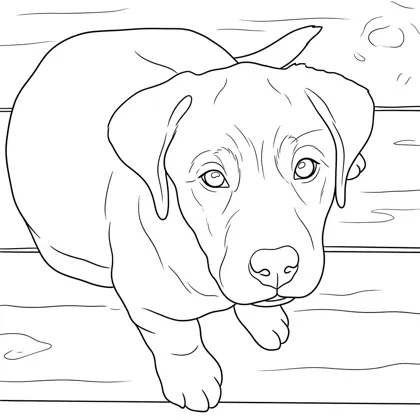 Real result from this tool
Bought a pack on another device? Sign in with your email
- Tools compared
- 5
- Prices checked
- 2026-11-11
- Our free limit
- 3 drawings a day, no sign-up, no watermark
Which free photo to line art converter should you use?
If you want line art from a photo right now without an account, use a tool that works without sign-up and adds no watermark, such as Image to Line Art (3 free drawings a day, PNG plus traced SVG and DXF). If you only need an SVG, Photo2Vector is free with no stated limit. If you need many files a month or a commercial vector workflow, a paid plan from Lineartify or Vectorizer.AI may fit better. For coloring pages, iColoring is built around that.
Photo to line art converters side by side
Prices and free limits as shown on each tool's own pages on 2026-11-11. Check the linked pages before you pay; plans change.
| Tool | Free use | Account | Formats | Paid plans from |
|---|---|---|---|---|
| Image to Line Art (this site) | 3 drawings a day, no watermark | Not needed | PNG, traced SVG and DXF | One-time packs from $2.99, no subscription |
| Lineartify | Free plan with limited monthly generations, personal use; no watermark is a Pro feature | Free credits go to new accounts | PNG, SVG | $9.90 a month, or $6.90 a month billed yearly |
| iColoring | Free credits; no watermark is listed as a paid feature | Not stated on the pricing page | Not listed on the pricing page | $7.99 a month billed yearly, $9.99 monthly |
| Vectorizer.AI | Unlimited free preview; downloads need a plan | Needed to subscribe | SVG, PDF, EPS, DXF, PNG | $9.99 a month |
| Photo2Vector | Free, no stated limit, no watermark | Not needed | SVG, some modes also PNG | Free, no paid tiers |
How to choose the best photo to line art converter
Decide what the drawing is for. For a coloring page or a printable outline, a clean PNG on white is enough, so pick the quickest free option. For Cricut, vinyl or laser work you need a vector file, so check that the SVG or DXF has closed, clean paths in your own software before you buy credits. For a style match (pencil sketch, bold outline, single line), try the same photo in two tools; results vary more with the photo than with the tool.
Where Image to Line Art falls short
It redraws your photo instead of tracing every pixel, so small text and tiny details may not survive. The SVG and DXF files are traced in your browser as a reference and have not been tested on a cutter. There is no batch API. If you need hundreds of files a month or guaranteed cut-ready vectors, a dedicated vectorizer is the better choice.
Frequently asked questions
What is the best free photo to line art converter?
For quick results without an account, a no-sign-up tool like Image to Line Art is the simplest: 3 free drawings a day, no watermark, PNG plus traced SVG and DXF. For heavy or commercial vector work, compare paid plans such as Lineartify or Vectorizer.AI.
Is there a Lineartify alternative that needs no login?
Yes. Image to Line Art and Photo2Vector both work in the browser without an account. Image to Line Art gives 3 free drawings a day with no watermark.
Do free line art converters add a watermark?
Some do on free plans. Image to Line Art downloads have no watermark. Check each tool's free plan before you rely on it for printing.
Which converter gives SVG or DXF for Cricut or laser?
Image to Line Art gives a traced SVG and DXF as a reference, Vectorizer.AI sells vector downloads (including DXF) on a monthly plan, Lineartify exports SVG and Photo2Vector gives a free SVG. Always test a vector file on scrap material first.
Try the free converter on your photo
Three free drawings a day, no sign-up and no watermark.